How I built a request-to-book site for a private house in Uvita
Why the site takes requests instead of bookings, how the calendar stays current, and who edits what: the decisions behind the Casa Paraiso website.
- Client
- Casa Paraiso
- Sector
- Vacation rental
- Location
- Uvita, Costa Rica
- Year
- 2026
Nine designs, one choice
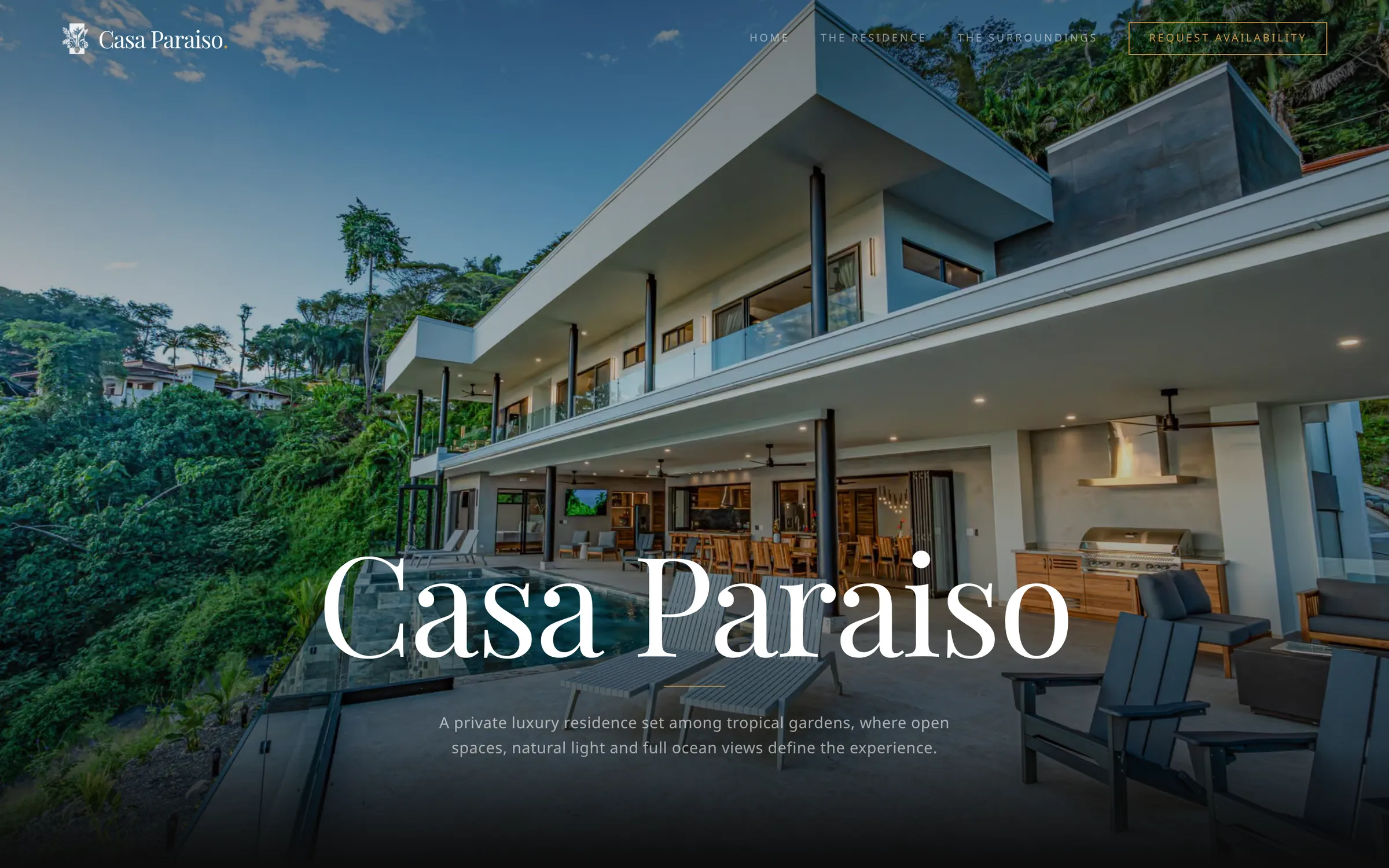
Before I wrote the real site, I built nine complete design directions as separate pages, with a picker page that linked to each one. All nine existed by the end of 10 February. The one that won was a dark editorial look with gold details.
On 2 March I deleted the other eight designs and the picker in a single commit, 9,339 lines in all, and pulled shared components out of the winner. For an owner the lesson is practical. Exploring widely is quick, but only if you commit to one direction and stop. Nine live designs would have meant nine sets of code to maintain.
Why the site takes requests, not bookings
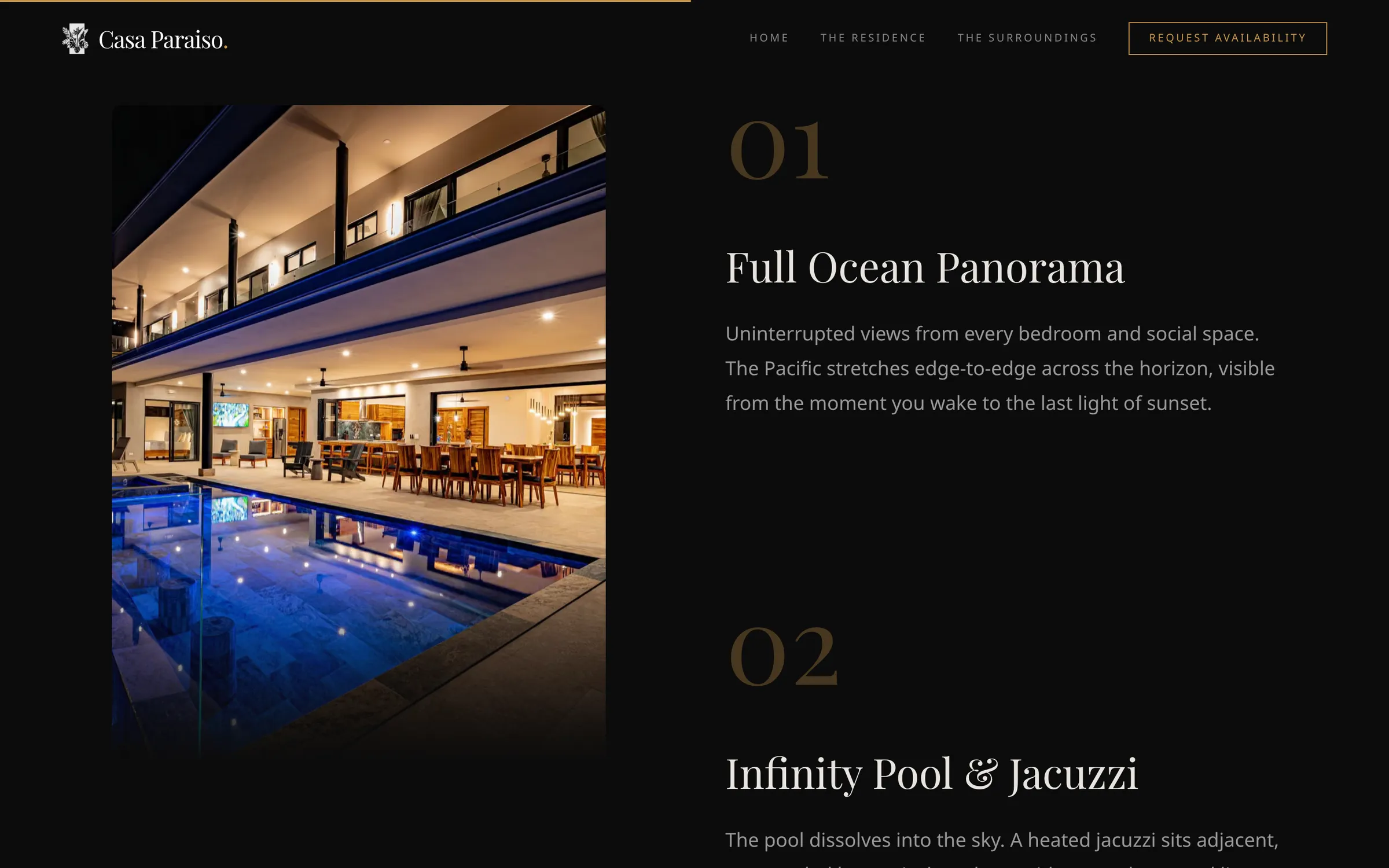
The site states that the house is available for private stays by referral, so it works on requests: a guest sends one and the owner answers. A guest gives a name, an email address and the dates, and a line under the button says a request does not confirm a reservation.
The project has no payment step at all. An instant-booking engine needs rules for deposits, cancellations and double bookings. A request needs one person to say yes or no. For one house rented through referrals, the second is the simpler tool, and it leaves the decision with the owner.
After sending, the guest sees a “Request received” message that promises a reply within 24 to 48 hours, and the confirmation email repeats it. If you promise a reply time, say it in both places and pick one the owner can keep.
A calendar that fetches the latest dates
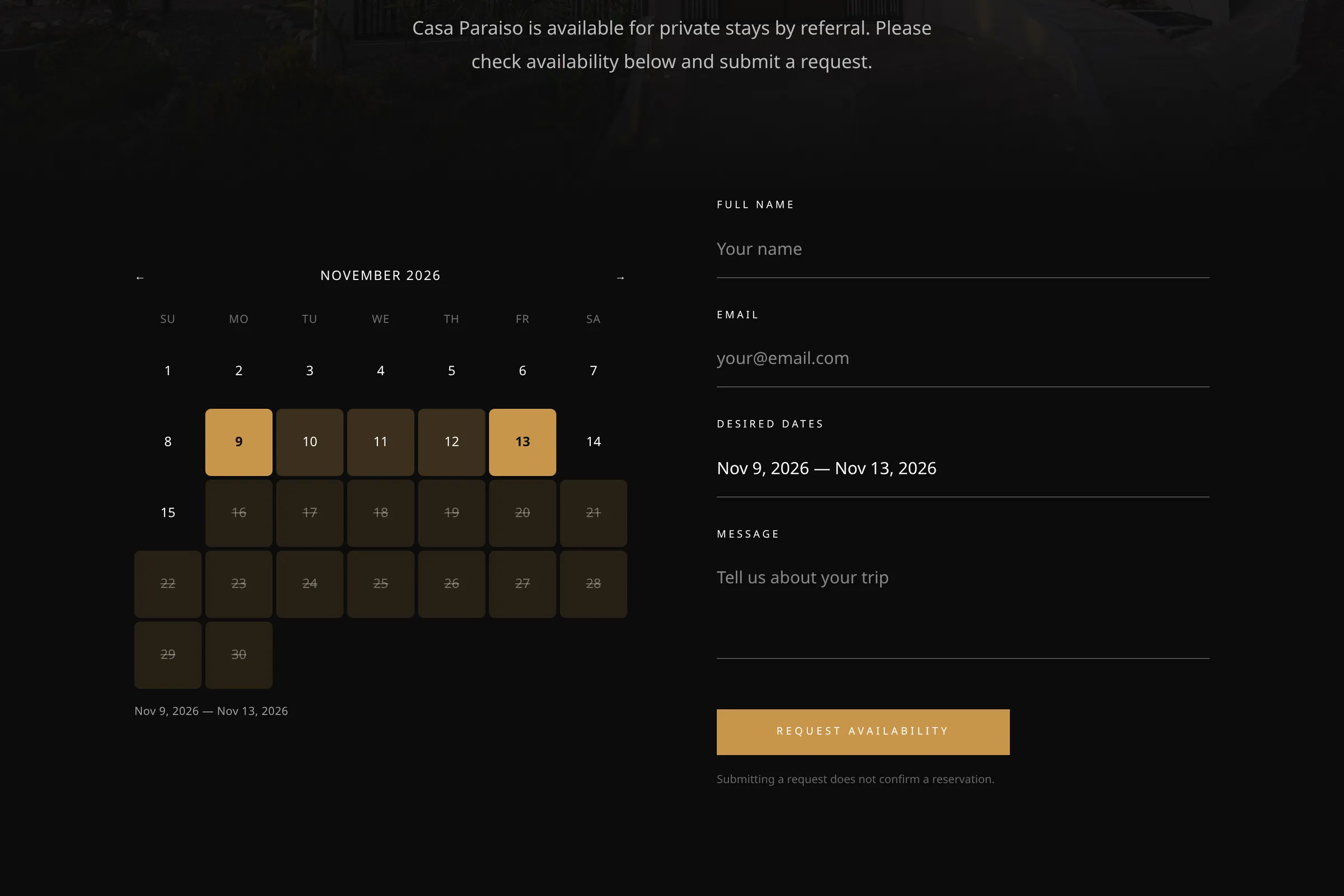
A page arrives with a copy of the blocked dates that is refreshed every five minutes, and then the calendar asks the server for the current list as soon as it opens. A guest sees what the owner blocked a moment ago, not what was true at the last refresh.
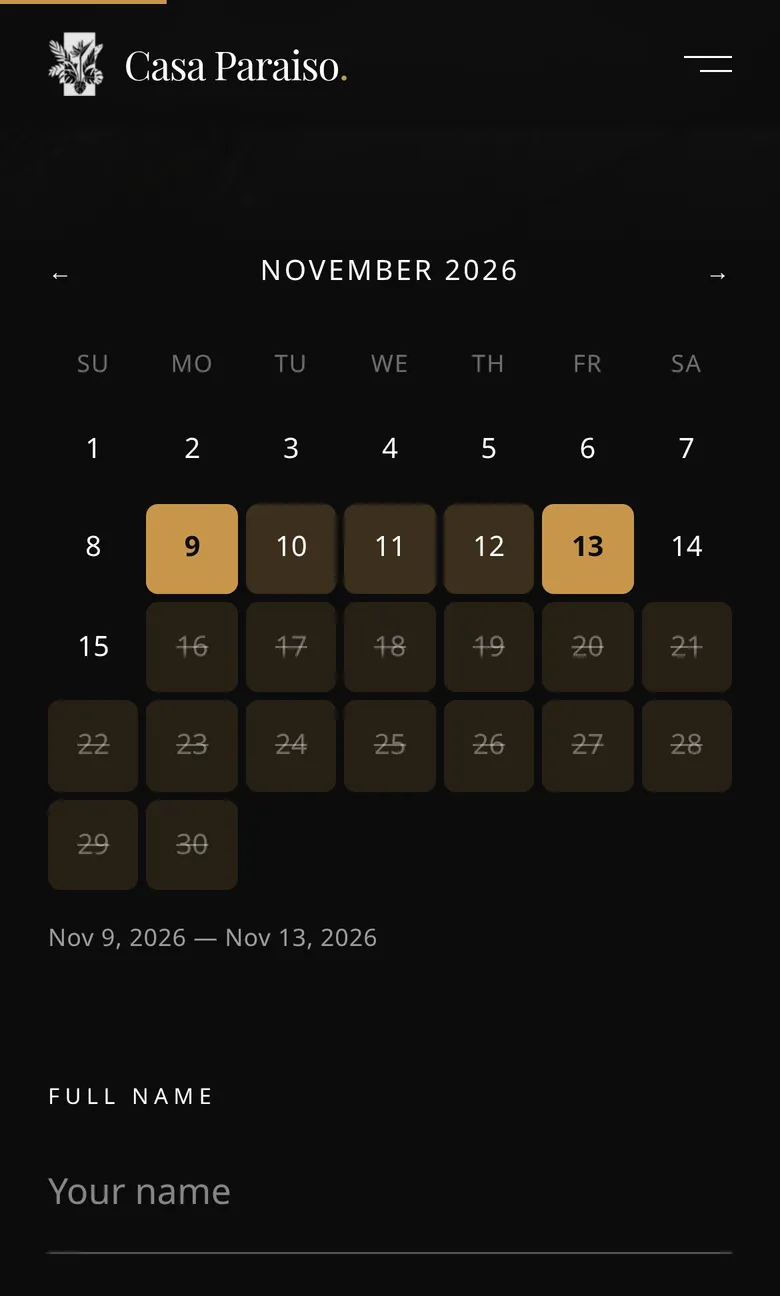
Guests choose dates by clicking a check-in day and then a check-out day. Past days and blocked days cannot be clicked, and the date field is read-only, so nobody can mistype a date.
The automatic part matters more than it sounds. When the owner confirms a request in the admin, the site creates the blocked range by itself, and if the owner changes their mind it removes it. Nobody updates a calendar in one place and a request list in another. The trade-off is one small extra request each time the page opens, and I took it over the risk of guests asking for dates that are already gone.
Save the request, then send the email
When a guest submits the form, the request lands in the owner’s password-protected admin before any email goes out. If an email fails, the request is still there for the owner to find. Each request produces two messages through Resend: a notice to the owner, and an acknowledgement to the guest that promises a reply within 24 to 48 hours.
I started with a Gmail account as the sender and replaced it with Resend, a service built for automated email, on 10 March. Whatever you choose, send automated mail from a service made for it rather than from a personal inbox.
Let the owner change the photos
The owner can swap the photos without calling me. The home, residence and contact pages each have one editable document in Sanity, and the room galleries and local-experience cards can be edited too. The photo fields on the pages and galleries ask for alt text, the short description that screen readers and search engines read.
Editable photos bring a risk: someone uploads an enormous file. The home page already uses a photo stored at 8192 pixels wide, a file of almost 6 MB. The site resizes images on the way out and serves AVIF, a compact image format, to browsers that support it, so scrolling the whole home page on a desktop screen loads 21 photos in under 800 KB.
The site also has an entry point for webhooks, which are automatic messages between two services. Sanity can call it after a publish, so the affected content can refresh without a new release. If Sanity is ever unreachable, each page falls back to built-in text and photos.
Links, search and timing
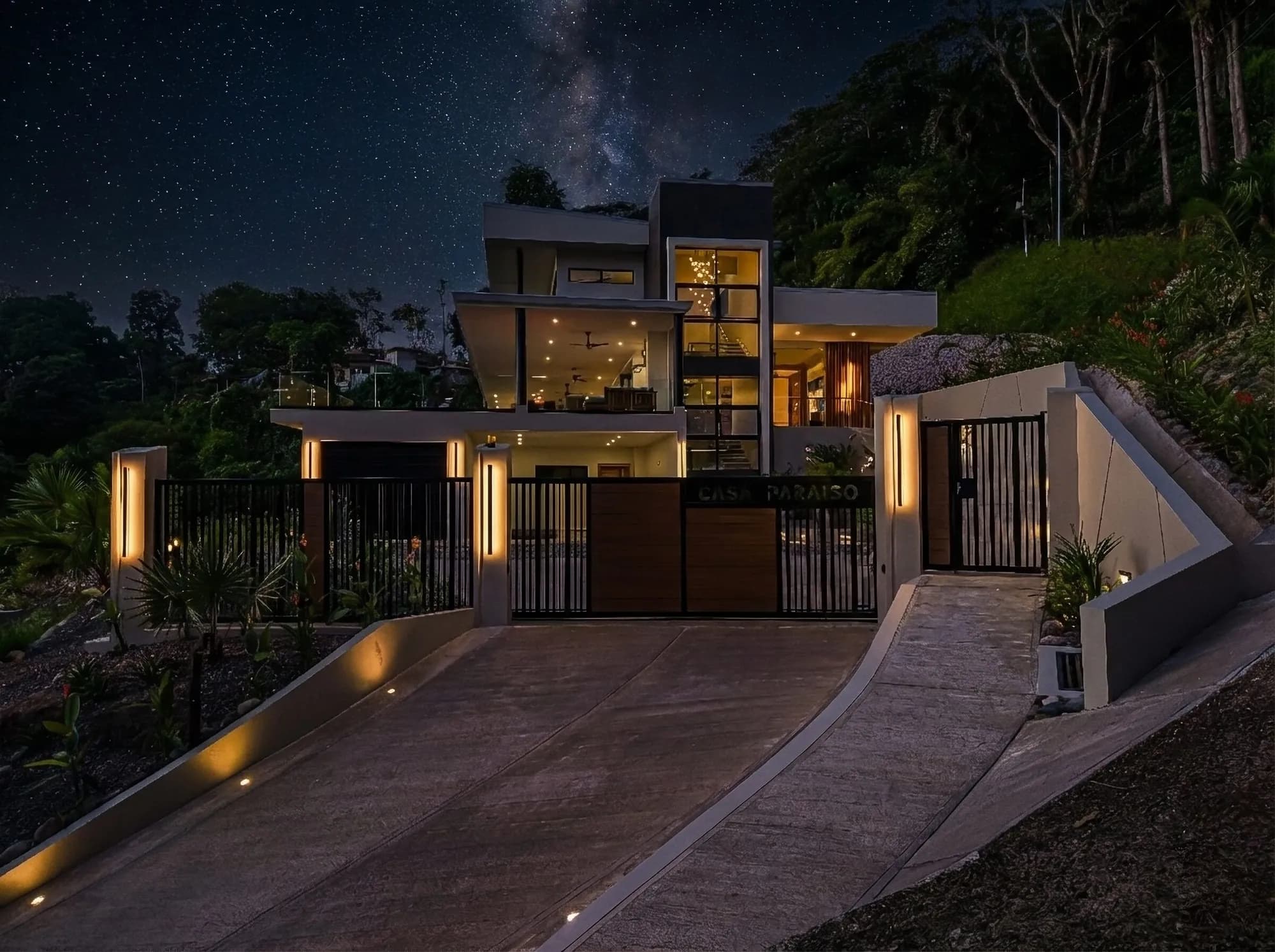
A preview matters when a link lands in a WhatsApp chat, so each of the four pages has its own 1200 by 630 image, title and description. Structured data, a block of code that tells Google what kind of business a page describes, marks the site as a vacation rental. A robots file asks search engines to skip the admin and API addresses.
On timing: the booking flow, admin, editor and domain were all in place 22 days after my first commit, the first saved change to the code. The page-photo editor came later, on 20 April. I list dates because owners often ask how long this takes.
What I'd tell an owner
- Explore several designs quickly, pick one early and delete the rest. Keeping options alive takes more work than drawing them.
- If you rent by referral, let guests send requests and leave the yes or no to the owner. Add online payment only if needed.
- Keep the calendar and the confirmation in one system, so one click in the admin updates what guests see.
- Save every request before sending any email, and send automated mail from a service built for it.
- Let the owner swap photos, require alt text, and resize images on the way out.
Stack
- Next.js
- React
- TypeScript
- Tailwind CSS
- Sanity
- Resend
- Framer Motion
- GSAP
- Vercel