Building GoEasy.Chat: what I reused and what I built
The decisions behind a WhatsApp team inbox I built: an open-source engine, one address per customer, a self-serve signup, and WhatsApp’s own rules.
- Product
- GoEasy.Chat
- Sector
- WhatsApp support software
- Location
- San José, Costa Rica
- Year
- 2026
Why I did not write a chat engine
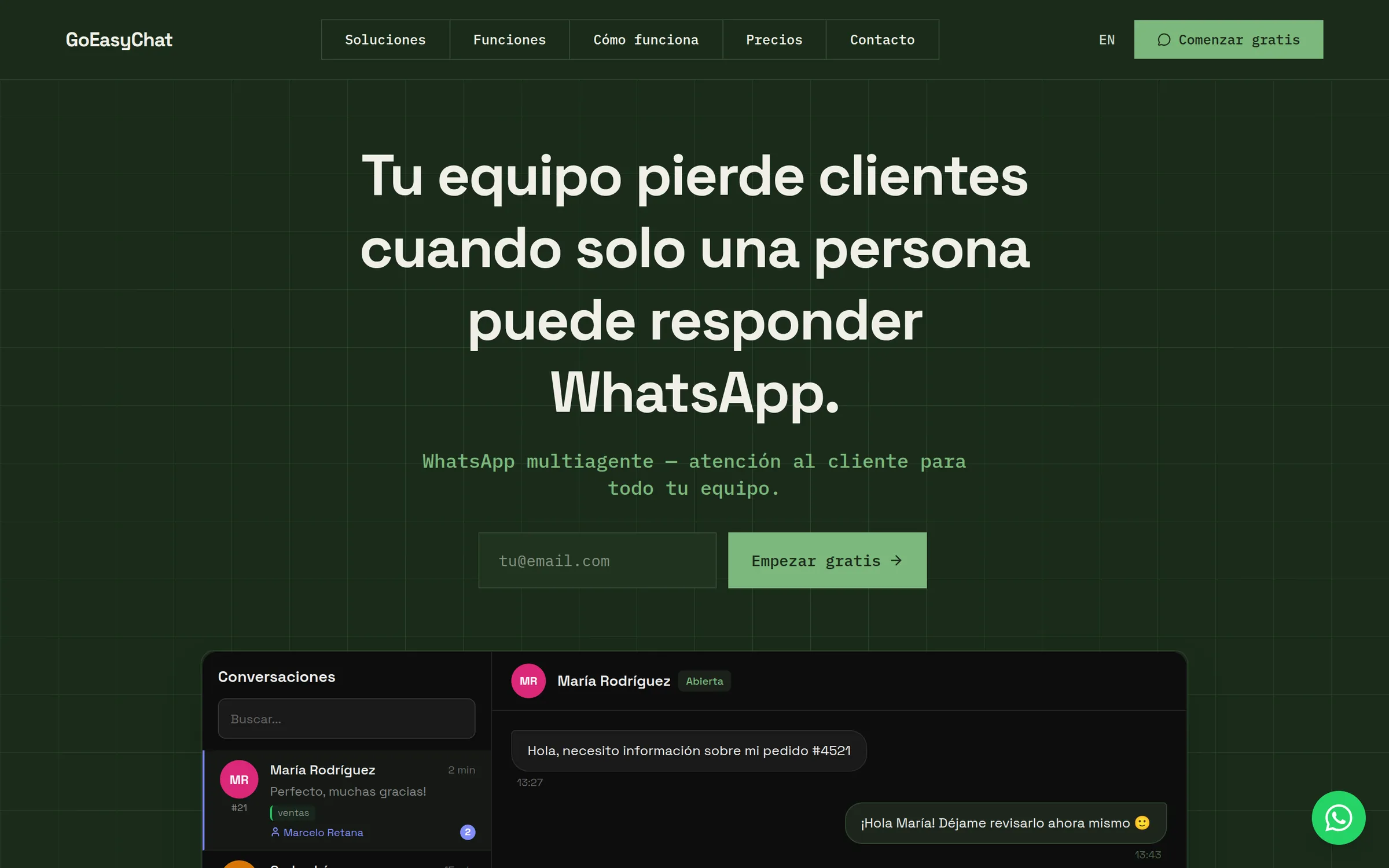
A shared WhatsApp inbox needs conversations, agents, labels, notifications and a way to keep them in sync. That is a lot of parts, and an open-source tool called Chatwoot already had them working. So the first decision was what to borrow.
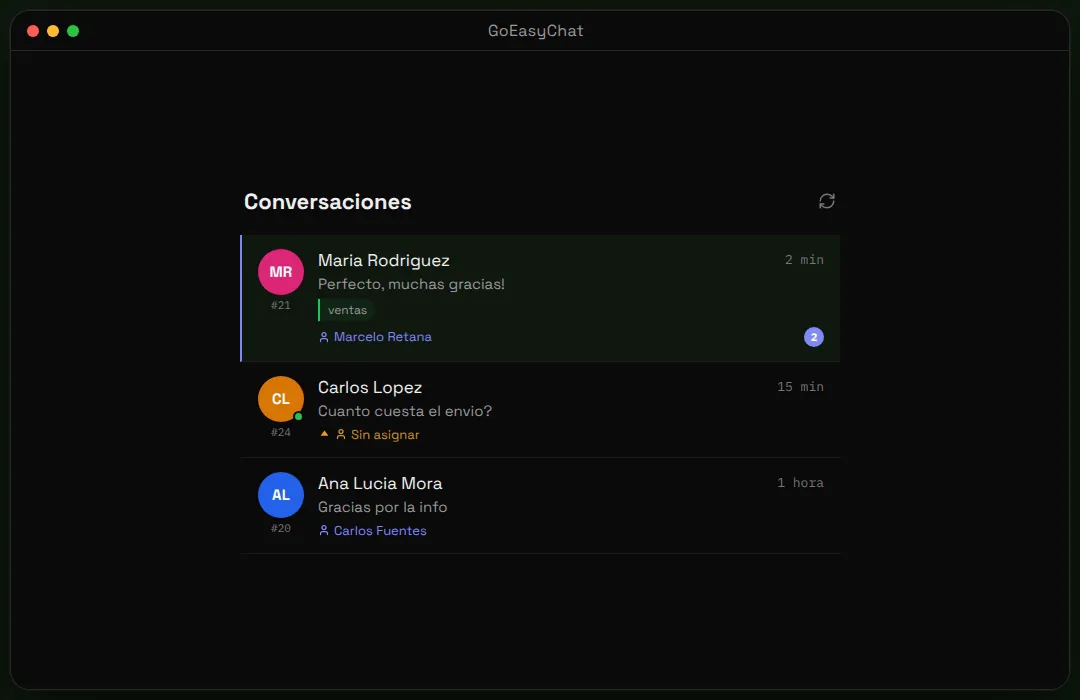
I tried Chatwoot with my own clients first. The engine was sound. The screens were the problem: people got lost in them, and connecting a WhatsApp number to Meta was more than most could do alone. So I kept the engine and replaced the screens. Developers call this a headless backend: Chatwoot stores and moves the data, and GoEasy.Chat is what customers use.
The price of that choice is two systems to keep in step. My app sends the browser’s API requests to Chatwoot through a small relay of its own. In return, the engine is self-hosted, and the screens customers use every day are our own code.
One address for every customer
Each business that signs up gets its own address, such as yourcompany.goeasy.chat. Behind it sits a separate workspace in the engine, with its own agents, contacts and conversations. One copy of the code serves everyone. Developers call this multi-tenant: many tenants, one application.
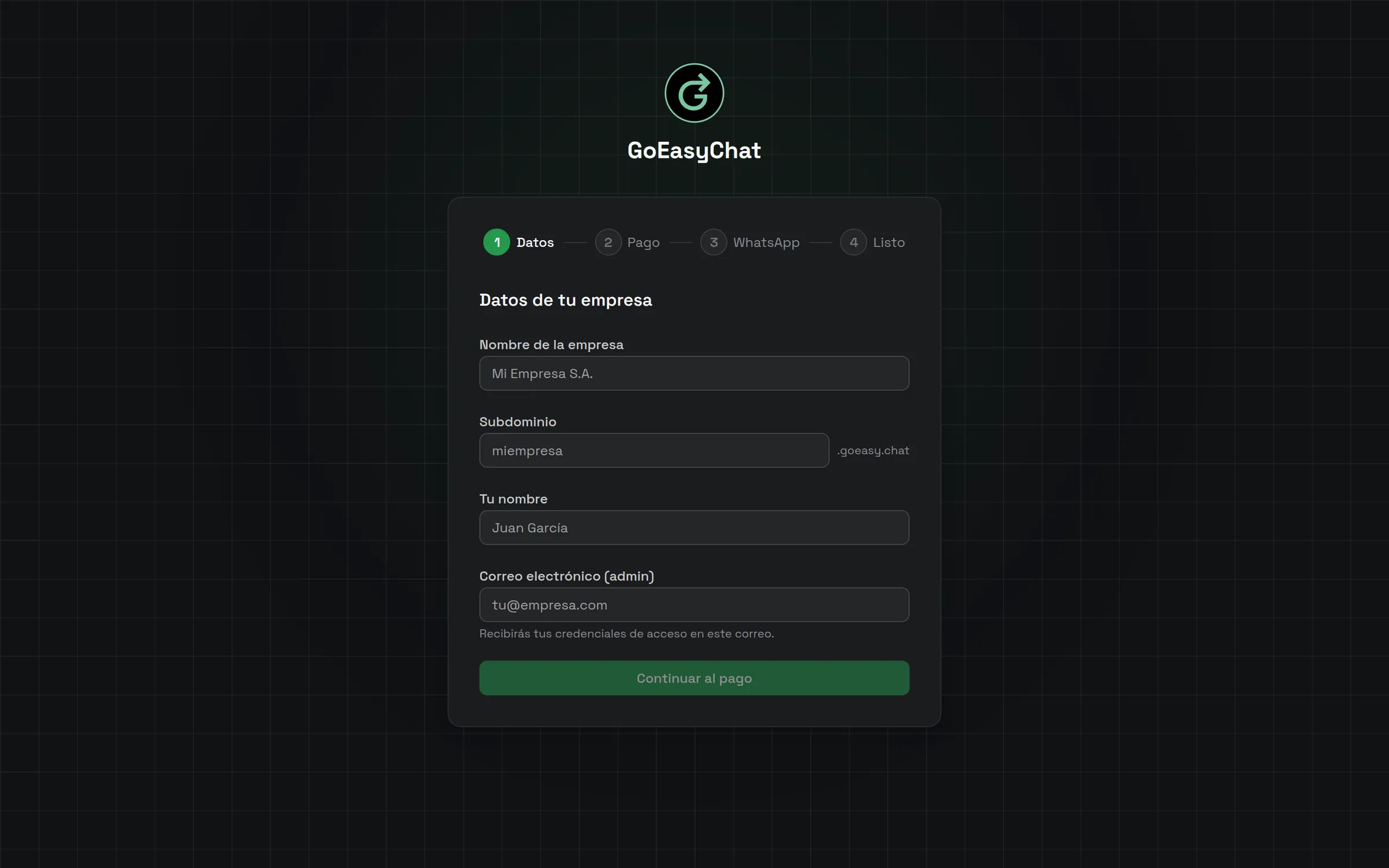
The customer picks the address on the signup form. It must be two to thirty characters of lowercase letters, numbers or hyphens, it cannot be a reserved word, and it cannot already be taken. The form checks that as the person types, and the server checks it again before it creates anything.
The honest cost of multi-tenant software is that one mistake can reach every customer. So before the first customer arrives, decide how customers are kept apart, and test that boundary. Mine is the address plus the workspace behind it, and automated tests cover how an address is resolved.
Signup is part of the product
The signup runs in four steps: company details, payment, WhatsApp and a final confirmation. I moved account creation to the payment step, so someone who stops halfway still has a login. The signup is self-service, so a business does not have to talk to me to get started.
The trial lasts 14 days. The payment screen says plainly that nothing is charged today and shows the date of the first charge. Payment details are entered in Paddle’s checkout, not in our forms. Paddle is the merchant of record, which means Paddle is the legal seller of the subscription.
After payment the app does the setup by itself. It creates the workspace and the administrator, registers the link the engine uses to tell our app about new conversations, and sends a welcome email. The last step connects WhatsApp, and it can be skipped and finished later from the admin panel.
WhatsApp’s rules shape the screens
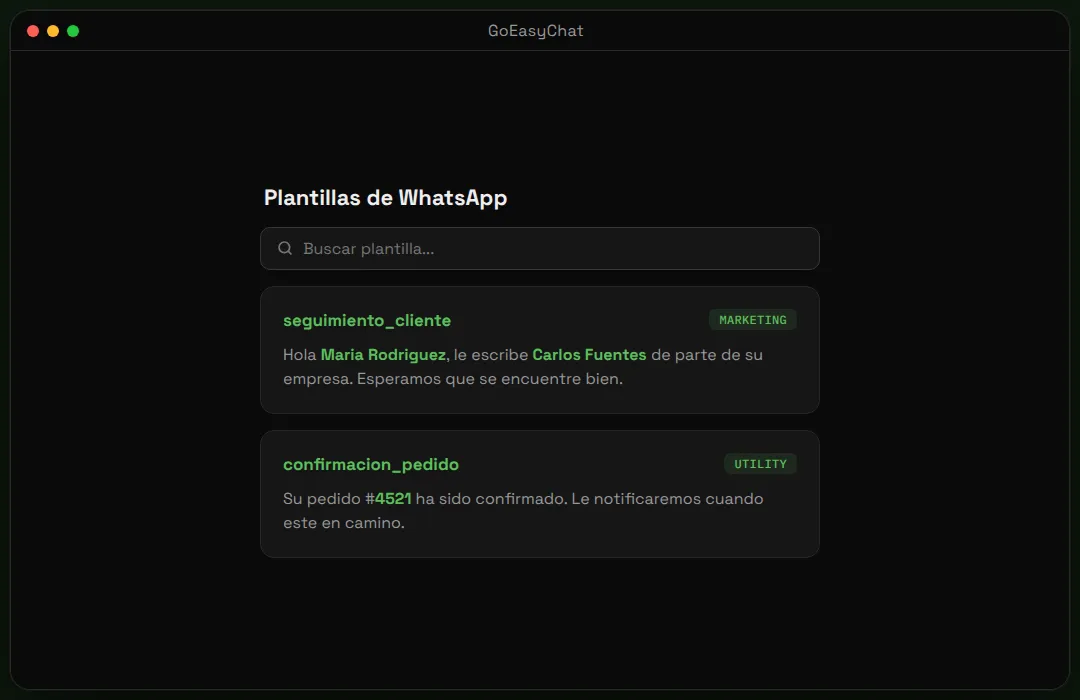
WhatsApp is not a neutral pipe. After a customer has been silent for more than 24 hours, a business can only reach them again with a template, a message Meta has approved in advance. GoEasy.Chat marks those conversations as expired and shows a banner that leads to the template list. Agents do not have to count the hours themselves.
Templates need Meta’s approval, and approval is Meta’s decision, not ours. When WhatsApp is connected, the app submits four starter templates, each in Spanish and English, so the business has something to send as soon as Meta approves them. The templates page shows each status and has a sync button.
Two smaller rules also shaped the product. The business’s own number can keep working on the phone, because Meta’s Embedded Signup has a mode called coexistence. The number must have been active on the WhatsApp Business app for at least seven days, and the signup says so before anyone starts. And browsers record voice notes in formats WhatsApp rejects, so the app converts each recording to MP3 first.
Assignment rules an owner can read
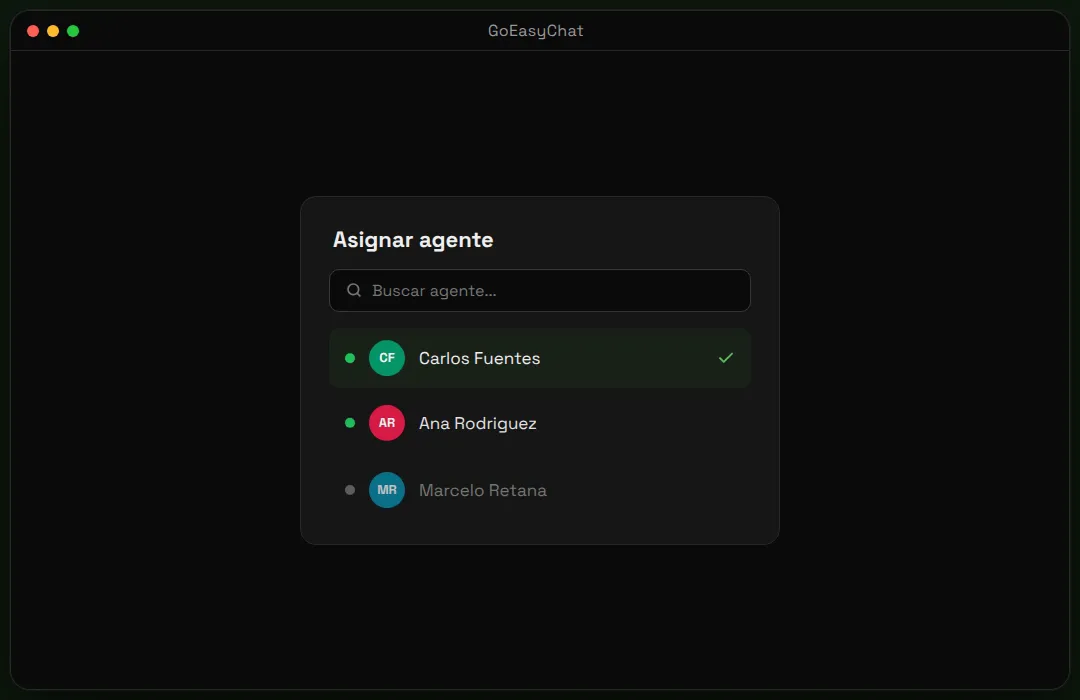
The first question about a shared inbox is who answers a new message. The app decides in a fixed order. If the contact has an assigned owner, the chat goes to that person. If not, it returns to whoever dealt with that customer most recently. If neither applies, it rotates through the team in turn, which is called round-robin.
The rotation does not look at who is online. The settings screen says so in plain words, and an administrator can switch the rotation off. It is simple and predictable, but it is not clever. A team that works in shifts should turn it off and hand out conversations manually, to a person or to a team.
Roles are few: administrators set things up, agents answer, and a third role exists for us as the operators of the service. Eight help topics inside the app, including ones on assignments and roles, come in Spanish and English.
Spanish first, English second, and 13 pages
The product speaks Spanish and English: the site, the app and the help topics. Visitors reach the Spanish site at the main address and the English one under /en. Inside the app, each user picks a language in the sidebar.
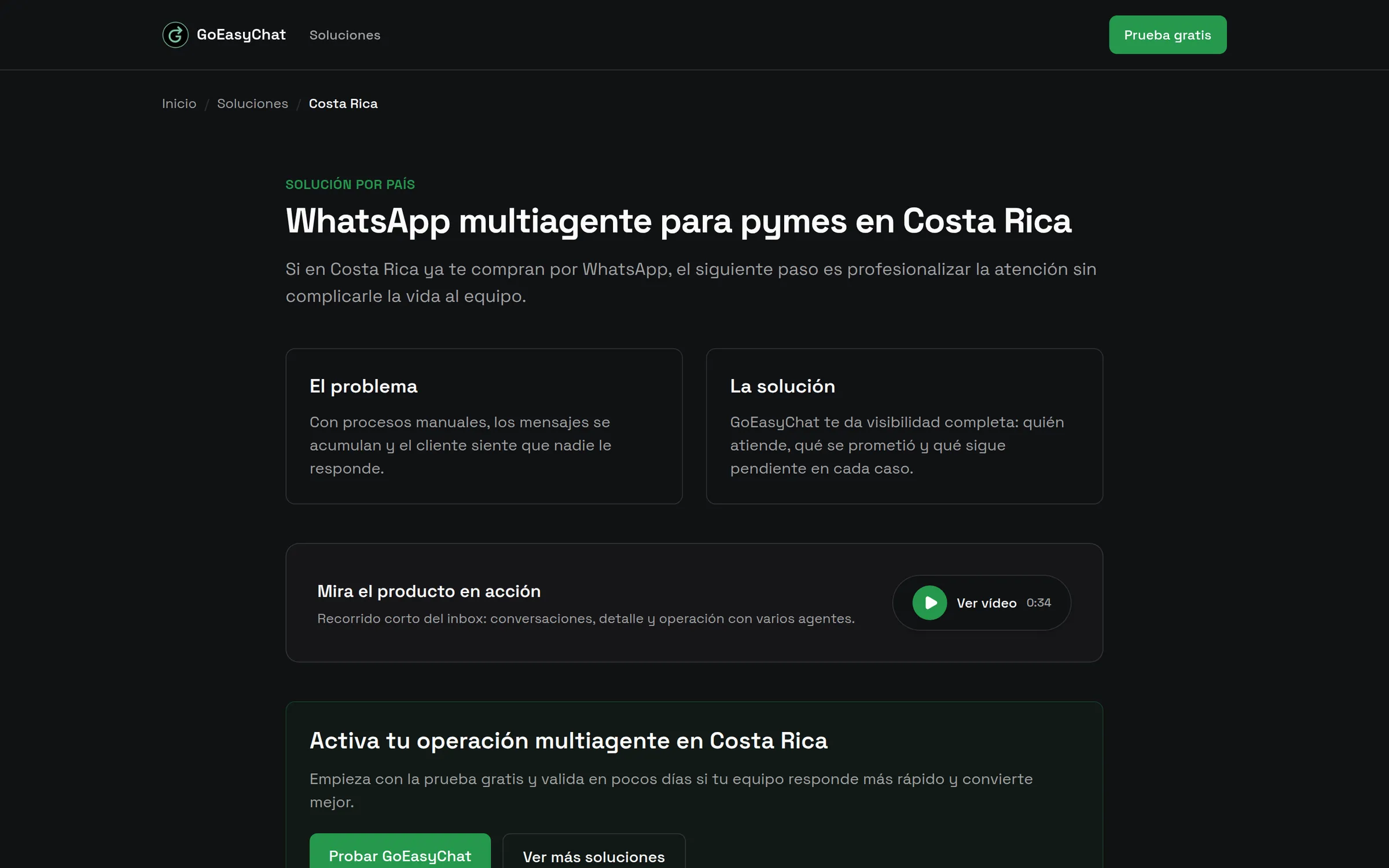
For search I added thirteen pages in Spanish: ten countries, including Costa Rica, Mexico and Colombia, and three industries: clinics, online shops and real estate. Each page describes a common problem, shows how the inbox handles it and answers two common questions in a format search engines can read. They are plain pages, and I make no claim about how they rank.
The demo videos are code too. I wrote them in Remotion, a tool that renders video from React components, so every video exists in Spanish and English from the same source.
What I'd tell an owner
- Reuse a proven engine, and spend your effort on the screens and steps your customers actually touch.
- Decide how customers are kept apart before the first one signs up, and test that boundary.
- Make signup self-serve, but let people stop halfway and still end up with a working login.
- Learn the platform’s rules first. WhatsApp’s 24-hour window and template approval shape the whole product.
- Write down in plain words how work is assigned, and show those words on the settings screen.
Stack
- Next.js
- React
- TypeScript
- Tailwind CSS
- Chatwoot
- Paddle
- next-intl
- Vitest
- Remotion
- Bun